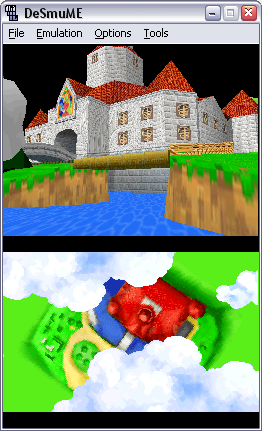
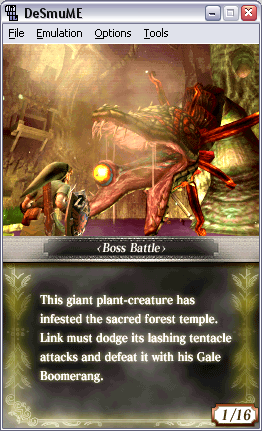
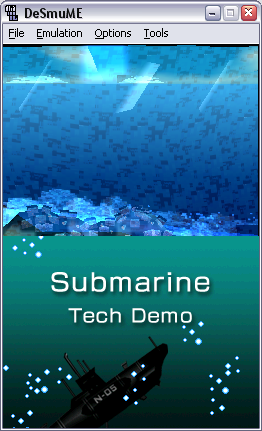
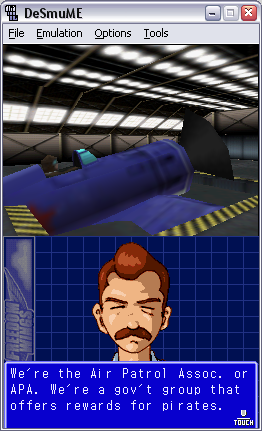
Tuesday, April 29, 2008

New beta "policy" on official DeSmuME

Just as a quick note, due to recent developments that I won't go into detail, I decided to start doing CVS builds, from the work in progress between releases, myself and uploading in a small web page that I setup.

I've been thinking for quite some time on doing some serious work on the CVS regarding the 3D core and the general speed. I know I can get easily a 10% speed up and make the 3D games look correct. Of course that's what I can get up shortly (few days/week), but more will come in the future.

Any way, the good points are having trusted builds that will stop a bit before official releases to keep some surprises on the official releases (that's a REALLY IMPORTANT point for me), and having more control over what's in the CVS builds (for example, removing the "report bug" on the menus). Of course, another benefit is getting better testing from a more general user base to avoid official releases being broken or suffering from regression.

Well, some of you might have already read about this already, the new part is that it will start soon, with some long demanded features. Exactly in a few hours from this post: it's going to be an interesting new way to receive feedback, let's see how it does turn.

EDIT: Already uploaded the first build, enjoy.

Friday, February 22, 2008

How do I usually fix stuff in desmume

I've not worked much on desmume lately. I really like low level coding, but I prefer graphics coding, and that's what I've mostly been doing the past 14 years. I still work on desmume from time to time, but it's not my only open project as of now.
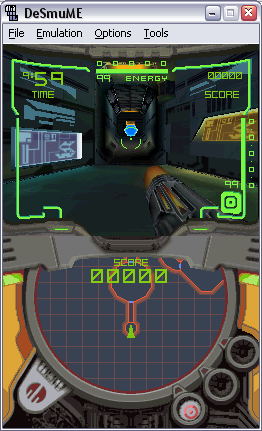
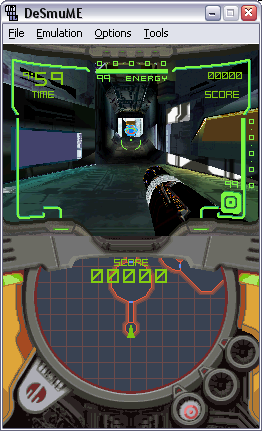
But that's not what I want to talk about today, I want to give an example of how I fixed a certain issue on desmume, and the whole process that lead to fixing the bug: usually involves hell a lot of work to fix small bugs. It's strange to fix major problems with little work, or at least that's what I'm used to. Well, let's get to the good stuff.

Recently, NHervé (from ngemu forums) asked if distributing desmume "mods" was ok. The answer was simple: desmume is GPL, an thus, distributing modified versions is ok, as long as full source code is provided for the modified version. After that, he did the first mod. He is quite focused on fixing New Super Mario Bros. To get it ingame, emulating the GFX FIFO irq is needed, which official version doesn't support. Anyway, there was (at least), another bug: when starting mini-games (on main menu), desmume froze. That's what I'll talk about today, how I fixed that freeze. Let me clear up, that blog entry is a readable version of a what I explained in this thread.

The first thing I usually do is double-check where it freezes, obvious, but needed. I've seen plenty of people fixing "bugs" without even checking the exact reason, and it's losing time. First thing I saw, is that it jumped to 0x00000000, and there wasn't anything resembling code: basically it was all zeros. That jump could be on purpose, or the reason of the freeze. I assumed that it was meant to jump there, as I had to pick an option, and both were possible. So assuming than that memory region wasn't being initialized properly, I thought that it was some DMA failing, but after a quick peek at the DS available documentation, I saw that on that region resides the ITCM, which (explained in a simple way) is basically a small area of memory (32kb), where code is executed faster. On the DS, you can't DMA to the ITCM, so that couldn't be the failure. Next step was a bit more hard, and involved reading a bit more on how the internals of the DS work.

As I didn't knew how the ITCM worked, I spent some time reading about it. The most interesting bit, is that by setting it's virtual size (up to 32MB) bigger to it's physical size (32kb), it'll mirror it's contents from 0x00000000 to the virtual size. I guessed New Super Mario Bros was abusing that, by writing somewhere in the virtual memory area of the ITCM, and then reading from 0x00000000, which would be perfectly working code on the DS. I checked if it set the virtual size of the ITCM bigger than the physical size, and seeing that on boot it's set to 32MB by the game, I quickly hacked mirroring. Even with that, the first routine residing on 0x00000000 would freeze too: when called, the return address was set to 0x00000000 too, so when it tried to return to the calling routine, it jumped to itself. Forever.

I started to think that the fault was not on ITCM handling (even if desmume's current implementation is technically wrong as of now), but on the calling routine. After debugging it for a few minutes, one thing was clear: it was reading from uninitialized memory, and that's why it jumped to 0x00000000. Hell, even all the register were set to 0x00000000 due to reading from memory not initialized, which was rather fishy. To make a long story short, I compared that memory region with two other DS emulators, and it was clear that desmume was not copying data there for some reason. First, I assumed that the DTCM (again, a 16kb memory where data is read faster than from main memory) mirroring was the culprit. I was wrong again. I thought that I was really missing something obvious.

I went back to the available documentation, and searched for the address of memory that the game was reading from before jumping to 0x00000000, to be exact, 0x027FFE00 (plus some offsets on the various reads), et voila, it was simpler than I expected: on boot, the DS copies the game card header there. Quickly checked if desmume was copying it too, and saw that it just copied the header partially. I implemented simple copy loop in a minute and I got the mini-games to work. In the end, it was WAY simpler than I expected :/

Still the mini-games have some problems with the sprites looking bad, but that is another task I'll might talk about another day. Oh, and I committed a few fixes (including this one) to the official CVS, just in case anyone wants to check it out. A few screenshots, as usual:


Have fun :)

Sunday, November 18, 2007

Texture fix and icon viewer

Yesterday I was rather bored for a few hours (even if I've a lot of real life stuff to do...), so after checking some information from the DS cartridge header (for some unrelated work still to be done), I thought how hard it'd be to add an icon viewer to the "Game Info" dialog. Extracting it from the header wasn't that hard, as the format is quite simple: a 32x32 pixels icon, stored on a 8x8 tile basis, 4bits per pixel, which are used to lookup on a fixed 16 colour palette (per icon).

In fact, converting the icon was easy, but I had major problems due to some recent changes, as I forgot I needed to use GDI+ to draw stuff on dialogs, rather than using plain GDI (that's what all desmume uses on the windows port). When I moved the drawing code of the icon to GDI+, it worked perfectly. I deleted all the MAP/OAM/etc viewers that relied on GDI code, as I plan to rewrite the GUI in the near future anyway, so there's no point in fixing that code.

After that, I wanted to finally fix the last bits of Mario&Luigi to look perfect. A few weeks ago, I cared to make it run where it "freezed" in the past: in fact, it didn't freeze, just took ages to render a new frame, due to a rather important bug in the 3D core. The main problem after that, is that ALL textures looked wrong: for example, where Koopa should be, only textures of arrows were shown.

When approaching the problem, I had only a stupid idea of what could be: due to the way the display lists are handled, there was a slight chance that the texture bind before drawing the polygons was done in wrong order. Well, to make a long story short, I was wrong: I tried changing a few bits, even hacking some stuff, and it didn't fix anything. In fact, the fix was easier and more logical.

I've been coding on PC for quite a few years, and I'm quite used to some stuff working in a certain way. While emulating the 3D core of the DS, I've already fallen on that problem quite a few times: on the DS, setting attributes per polygon (without starting a "primitive block") isn't that rare, for example, transformations (scaling, for example :P). In this case, it was the texture changing while the primitive block was open. I guess that, if you want to draw all the stuff onscreen, and you only use one type of primitive (a quad, for example), then changing the texture within the primitive block isn't that rare.

Anyway, adding the ability to change textures within a primitive block fixed "Mario&Luigi: Partners in time" and "Final Fantasy XII: Revenant Wings", so now both seem to be 100% playable and glitch free (and run rather fast). The usual screenshots:


Have fun :)

Tuesday, October 09, 2007

Shadows and next step...

Today, after reading Martin Korth's recently released (he hadn't updated it since ages ago) explanation on how DS hardware shadow volumes work, I attempted to implement them, as it was easier than I thought: it's not like the stencil shadows implementations that I've seen on PC, were the stencil is used to block lighting, and usually a shadow volume has to be computed per light. On the DS, it's a two step process: first, a mask step, which basically creates a mask to know where the next step should be applied, and a second step, that it's simply drawing a certain (usually black or dark) volume were the mask lets us. Light computation/s is NOT used at all :P

For example, imagine a cylinder intersecting the floor, the first step would create a mask that would resemble a circle on the floor (in fact it doesn't work exactly like that, but for the explanation sake...), and the second would paint a dark colour on that circle (and nowhere else). Why use a cylinder, and not a circle directly? Because we can't be sure of the topology/shape of the floor, neither if it'll be a floor, or animated: using this approach, we can shadow whatever is inside our cylinder, without the need of knowing the rest of the object/s in the scene.

So here's the result, and that fixes one of the last "big" bugs on Mario 64 DS. In the process I also fixed and important blending/transparency bug, which narrows even more the list of graphic bugs: only small ones left, the "waves" background on the save selection screen don't look exactly as on the DS, probably due to the way lights or normals are treated right now and the writing on Daisy's letter don't fade correctly (2D core related). Anyway, here's two shots of Mario 64 DS, and one of Tak - The Great JuJu Challenge:


About Tak - The Great JuJu Challenge, it's my next target to debug, as it show geometry, but it's completely wrong/uninitialized. Were it should show an animated mesh, it just show a static blob of what seems random data. I've a few ideas about what could cause that, but first I'd like to spend some trying them.

Have fun :)

Thursday, September 27, 2007

One year ago...

I was bored a few hours ago, coding and debugging stuff on the DS (not emulation related), and I remembered that I wanted to do some type of "that desmume one year ago" post. That's what you get when I'm too lazy to spend time doing some real work on desmume :P

So... not much to talk about, I just searched for the first public screenshots that were released of a commercial game (I remembered they looked BAD, because I added an ugly hack for transparency, and I didn't know that version of the 3D core would be used for screenshots...), and made new screenshots today with the lastest version. Nothing really new shown on that screenshots, but might be fun for those that saw the original screenshots one year ago.

The screenshots that I'm talking about are on this post on emutalk (my nickname there is synch, that'll see referenced on that post), and you can compare them with this ones:


Speed has increased about 2x-5x (depending on game) in a year, while having way better (or almost perfect) 3D, so I guess it hasn't been a total waste of time... Have fun :)

Saturday, September 01, 2007

Speeding up

After abandoning desmume development for a few months, I've been working on it quite a lot lately. Of course, not as much as when I started working on the project, as motivation to develop desmume is rare this days (just check the official desmume CVS, and you'll see what I'm talking about). But anyway, I've done some improvements on a very specific side of the project that I've avoided working on for the last 6 months: speed.

I've to be clear: desmume current way of handling most of the interrupts sucks. For example, timers, dmas and other, are checked PER opcode emulated. In an ideal world, you'd run a batch of instructions (the exact ammount would be determined by some heuristics or whatever), and then you'd do the processing needed by the pending interrupt / timer handling, then again back to running a batch of instructions. Of course, that'd be a less exact than current implementation, but it'd be WAY faster. I did something similar on my Gameboy emulator, and it gave good results, we'll see how it works on desmume, whenever I find time to implement it.

Anyway, I'll start with two screenshots, one before the speed ups I implemented the past 3 days (left), and another one with them (right):


As you can see, it's a practical 33% speed up on this particular case. I must say that it affects every game that I've tested on a considerable ammount, being the minimum a 14% (I'll explain later why). Just as a real world example, tested "Castlevania: Dawn of Sorrow" and it's 30% faster now... So let's talk about the speed ups.

First, desmume used/s GDI to draw the DS screens onto the main window. GDI setup is as easy as it can get, but seems that it's not as fast as I would wish (more keeping in mind that it's only task is to take an image and draw it on the screen). I considered a few options, namely DDraw, openGL or GDI+. I excluded openGL at the beggining, because it would be quite a lot of work to make the current 3D core work correctly with it. So after some discussing it with some friends (more exactly, hearing some DDraw bashing and why I should stop using DirectX7 features), I started working on a GDI+ blitter. In the end it was easier than I expected. Reading the documentation, implementing the blitter and a bit of adjusting was done in an hour. In fact, searching through the documentation was what took longer. The good part, is that it gave a free 14% perfomance gain.

The rest was a matter of fixing some tidbits of how memory is accesed, avoiding a lot of conversions from floating point to integer (which is way more expensive that you'd guess), changing the way the texture cache works, and more stuff I can't remember. I won't be any more concise about this stuff, as it would take quite a few pages, which I'm not willing to write now. Maybe I'll go back to them in a future post.

Just as an ending, it seems that my obsession about fixing all regression bugs that I see is giving good results, as most games that I test have perfect 3D. Here's some proof, Hotel Dusk running perfectly, even with the motion blur effect (I rotated the image with an image editor, because I don't have screen rotation implemented):


Have fun

Tuesday, August 21, 2007

Small improvements

Lately, finding spare time to work on desmume has been hard. What's more important, finding any motivation to work on it, has been really hard.

First, I'm willing to work on stuff more related to general 3D rendering again, instead of emulators. Working on an emulator for a month or two is nice, but it's been a whole year since I started to work on the desmume source code that yopyop released. It's important to note that on my priority list, 3D rendering is way more important than emulation, and I've been ignoring that fact for way too long.

Second, I've already many of the games I wanted to be playable, on that status. Mario Kart DS is probably the only exception, as I'm somewhat curious how it works, and the polygon budgets for karts/courses, but it refuses to work. Even if that, I'm not happy with many of the code I use actually. For example, the 3D GFX FIFO IRQ handling is a bit fat hack, the capture unit emulation is far from right, and my 2D pixel blitter implementations have to be rewritten with something like what I did with the official desmume, or maybe something a bit faster (if possible).

Third, the current debugger of desmume demotivates me every time I've to use it. It lacks breakpoint support, and some other small details that would make debugging games for hours easier and faster. For example, for homebrew development, I'd love original source code debugging, instead of the generated code. Not to mention that it uses plain Win32 GUI, so any addition or modification to the current is painful and time consuming.

So basically, I'd like to rewrite the 3D core to properly handle the GFX FIFO IRQ, write a Windows Forms GUI, with a new and enhanced debugger, and fix some misc stuff.

Anyway, the little work I devoted to desmume lately, was mainly focused on fixing some regression bugs I introduced while changing how the 3D core works, fixing one homebrew and one commercial game. Fixing the homebrew was easy, as it only failed due to some DS display list commands being unhandled, and the "list cleanup" taking too much time. After 45 minutes of debugging and profiling, I got it working at 60fps all the time.

Later, I wanted to fix Dead'n'furious, as it seemed to fail rendering 3D or stall while getting ingame. I really didn't knew, so I started to work, first to understand why it was failing. The first debugging sessions showed that it was in fact sending stuff to the 3D renderer, so it wasn't freezing, only not rendering onscreen.

I've a few switches that affect the 3D renderer on my build, to list: wireframe, disable lighting, disable blending, disable alpha test, disable texturing, and disable the whole 3D core rendering (in fact, it only disable the blit to BG0, but anyway, it's more or less the same for debugging purposes). None of them seemed to have any effect, so I debugged a bit more.

What I did next, was to check the primitive group start routine (I mean glBegin :P), as lots of setup is done there and it's usually a good start. There was the first pointer, it seems that the projection matrix was wrong. Specifically, the scale was wrong (abnormally big values), making that the primitives (triangles / quads) became squeezed/degenerated, resulting in primitives not showing up. Just as a fast test, I changed all the projection matrices to identity matrices so I would get something onscreen, if that was the only problem in that game. I expected so, as I had dumps of the textures, and they seemed ok, so if projection was the only problem, it would give me some results. In fact, it did.

After that, I just had to locate where and why those values were assigned to that matrix. That's what took the most. First, as the failing value wasn't the first to be assigned to that matrix, I just stopped execution when the first one was written, and debugged from there. I was lucky enough to see that the "failing" values written to the matrix, were calculated between the first write and the failing one. As I suspected from the beggining, it was indeed a CPU bug and not related to the 3D core. Basically some of the registers used on the matrix write were never updated: the projection calculation was done and stored in memory, but never retrieved from memory to registers, to be used later.

Anyway, it's fixed now, here are some screens:


Have fun

Tuesday, May 01, 2007

Beyond expectations

Lately I've been quite obsessed with Super Mario 64 DS. First idea to get it rendering more accurately was to fix compressed textures support. I had just finished writing a compressed textures demo when masscat committed fixes to my code compressed handling code on the CVS, so I forgot about compressed textures, as he already fixed them.

After that, I worked on getting transparency and translucency better, so the water and the tree shadows looked as expected. After that, only the holes on some meshes were left, and the sky clipping. The first one was fixed rather easy, as I made a big mistake on my code to change matrices per vertex. I assumed that the matrices were changed at most per primitive, not per vertex! After discussing it with masscat, I just realized my mistake and fixed it in a few minutes (in fact, I had already coded the needed stuff in the past). The second one was just simple depth clipping, so it was easily fixable.

After getting Super Mario 64 DS to render almost perfect (only shadow support missing and some tweaking), I wanted to start the new core. Basically what I call the "new core" is just adding FIFO and Quad Strip reordering support to the current one. The first one is needed to emulate properly the FIFO GFX irq, which are used on almost all advanced 3D games. Without it, games like FF3, New Super Mario Bros, Sonic Rush or Golden Eye:Rogue Agent, would simply freeze. Quad Strip reordering is needed because it uses a different format than the standard PC gfx card one. As I wanted to be sure if the GFX FIFO irq was what made several games freeze (the ones listed above), I just hacked the support, and got some impressive results. In the near future I'll start proper support, but as of now it's fun to see some more games looking perfect.

The usual screenshots to end...


There will be a few that'll recognize the post title: sorry, but I just couldn't resist :P

Thursday, April 12, 2007

Texture cache

For a long time, I've been using a texture cache I coded for my own builds, that hasn't been uploaded to the CVS yet (neither I know it will be) as it needs a cleanup and uses some C++ only stuff which would be time consuming to port.

The main benefit you get from using a cache is uploading to openGL as little as possible per frame. In fact, it's rather simple: whenever a texture is going to be uploaded, you get some sort of magic number from the texture (I currently use some type of CRC) to be used as an identifier, if it's already in the cache you just enable it, if not, it's just a matter of uploading it to openGL and then adding it to the cache for further use.

In my current implementation I lack one important feature that wouldn't be hard to add: flushing unused textures. Dynamic textures or textures not longer used (from the previous level, menu or else) remain in the cache and, more important, in graphic cards memory. Right now is not that much of a problem, but I'm sure it would be after a few hours of gameplay.

I also toyed a bit with checking directly the palette texture formats prior to conversion, so I can save some precious cycles, but it's lacking serious testing: with paletted formats you've way less data, and CRC's are likely to collide easily, thus giving false matches while checking if cached, and glitching rendering. Anyway, seems like something important, as it can save quite a lot of CPU time.

Today's screenshot is based on some optimizations on the CRC creation, as some profiling showed it was taking too much time to compute. I changed a bit the way it works (and expect it to work as good as in the past :P) so I could get a bit more of performance. Along with some optimizations here and there, that's what I got:


That's running on the same configuration as the previous screenshots, a Northwood Pentium4 at 2.6ghz with a Geforce FX5600. I expect to get a bit more of speed in the future, but I'm not sure how much, as I've been unable to work on desmume in the 5-6 days. Oh, and the emulator menu is different from previous screenshots, as I'm using a build I use to develop stuff and then merge into the CVS: I never cared to change the menus from the base source code yopyop released.

Tuesday, April 03, 2007

Back to posting

I've been asked by a few that I should restart posting here, so here we go. I've been mainly working on the official desmume code: my 3D code and the rotation/scaling got committed there. You can get unofficial WIP builds if you want to get a glimpse of what's coming in the next version.

The main reason I didn't care to post, is that I didn't thought thatI did any important breakthrougs, as the main 3D core has only seen minor updates in the past few months. The rotation/scaling was rather important, imho, but I was very busy with real life to commit the code AND post some information here. Even if that, I did two threads on the official desmume forums about some tidbits of what I'm working on. They can be read here and here.

And which breakthrough/s could be that important that I wanted to make a comeback to these blog? Well, just check the screenshots, on the left the current WIP, on the right what you can expect in the near future. I think that the images will explain better than I can do (care to catch the non-obvious stuff):


So this is what you can expect in the future, WIP updates on what I'm coding with the official desmume build.

Friday, January 19, 2007

Screenshot potpourri (2)

As stated in the comments, I've not been feeling well for the past 10 days or so, so not much done related to coding/testing. I'm starting to feel better, so I'll be able to post screenshots of really new stuff, and not from the 1.5 months old 3D core :P

Anyway, as promised on comments, here are some screenshots (last two ones are personal choice, I just loved how the game looks):


As you can see, blending it's still not fixed: I don't know if I'll ever fix it in the current renderer, I've to rewrite some stuff from scratch, and that should fix almost all blending problems :)

Wednesday, January 03, 2007

Screenshot potpourri

I've not done much related to DS emulation, besides some profiling and considering where to go from here. I'm really concerned about some tidbits of the current state of DS emulation in desmume. Mainly, I want to do some really hardcore cpu core rewrite to gain some speed, and moving the whole 3D renderer to software, instead of using opengl, as it is used now. I've already written a few software renderers in the past, and I even started one (designed to be used in desmume) about a month ago, but I haven't got the time, neither the motivation needed for such a feat, mot to mention rewriting half of the cpu core for speed: at least, not now :P

Today I just implemented a hacky way to support "flipped repeat textures", which consumes more memory than desired (even if only 1-2mb) and cpu, but works :P It's visible (or not, as now it's rendering as desired) in the sand path in the 3rd shot, which is using it. Most of my time today, was spent testing Mario DS, up to the first stage, but I didn't make any proper shots: it seems pretty stable, even if it could be better. Anyway, some shots:


And that's all, have fun :)

Wednesday, November 29, 2006

Color especial effects

I've spent the past few days working on 2D related stuff and minor fixes. Quite a few hours have been invested "only" logging and debugging some demos still not working properly, because, for example, some basic stuff seems to be still failing. Also, I've worked a bit onto getting more speed from 3D, which got a bit faster, but still needs quite a lot of work.

Today I'll talk a bit about the last one I've been working on, even if the actual implementation is more a raft from what it should be. I'm talking about the pixel blending, which can be used, for example, to cross fade from one image to another (as used in Zelda Gallery), or blending multiple images (for example, I think that's what it's used for "MP: First Hunt" menus). You can get a proper reference here. I've still to make some proper improvements, because I still don't support some effects that can be achieved with multiple source selections, for example, but I'll fix them in a few days.

Today I prefered to leave the technical details aside, as I don't really still feel confident about how the special color effects work. Anyway, here's the blend support as seen in Zelda Gallery (source, half blended, and destiny):


And that's all, have fun :)

Wednesday, November 22, 2006

Capture unit

Today I've been working on the capture unit, which, from the examples (and games) I've been able to get my hands on is used mainly for using 3D output on both screens of the DS, motion blur or screenshots. Of course there're a lot of other uses (much more that I can think at the moment), but for example, it's used on the menus of "Metroid Prime: First Hunt" for all the moving stuff on both screens. My implementation right now is very vague (just did today in a few hours) and lacks support for all the modes, but at least got the menus showing better in Metroid.

Also did some misc bugfixing here and there, that's not even interesting to talk about. Only one of the minor tweaks in the texture handling routines, that I thought would give crappy results, fixed hell a load of stuff.

So, as the proverb says, a picture is worth a thousand words:


It's only getting better and better :)

Friday, November 17, 2006

Texture coordinate generation and flickering

I fixed quite a large amount of bugs, but the 2 most important ones, would be the ones from topic: texture coordinate generation and flickering.

The first one is quite simple, as most PC hardware, the DS supports texture coordinate generation. This is used, for example, if you want to have a pool with water, the water being a texture mapped plane, and want it to seem to wave: instead of having a large amount of geometry, just generate the texture coordinates varying to get the visual effect of waving. I had made an implemention long ago, but I always found samples which rendered wrong, and then when I fixed one of them, another was broken. The bug was rather stupid: as openGL and DS texcoord generation doesn't map 1:1, I just pre-transformed them, and then sent them to openGL. The problem, was that I was not resetting the texture matrix, and as a such, at last they got pre-transformed by me, and then transformed by openGL. Stupid bug of the year, for sure.

Flickering was a damn annoying bug, which I never got enough motivation to fix, it "just" involved retrieving the openGL framebuffer, then copying it to BG0, and send it to the layering pipeline that desmume uses. Sounds simple, in fact it's simple to implement, but the code is ugly, probably slower than it should be, and, by the fact it has to be transformed from 24bit to 16bit, it looks a bit uglier (as in the DS, :P)

And more, or less, that's all for today, let's just put the usual screenshot:


For further references on texcoords, here you can find a nice explanation.

Have fun :)

Wednesday, November 08, 2006

No time

I'm really busy with stuff not related to emulation right now, so not much progress has been done. I've only done some work towards making 3D processing faster, but least than a 5% improvement was achieved :P

I've really been thinking about when I should release, and I narrowed it down to one option: I'll release when either Super Mario DS or Metroid Prime look right, that means fixing compressed textures or fixing the generated texture coordinates. I'll probably make other speed fixes, but compatibility comes first.

No interesting stuff today neither shots, but it's late and I'm too tired :P

Friday, October 20, 2006

Been busy....

Been busy with real life and stuff... So only 2 old screen shots today, and no chit-chat:


Both of them have a few bugs: the first one texturing is missing, due to texture coordinate generation failing, and the second one has problems with some of the block types of compressed textures.

Oh, I disabled the comments moderation, if it turns out wrong again, I'll leave it enabled indefinitely.

Have fun :)

Monday, September 25, 2006

Texture compression and register hacking

Well, today I'll talk a bit about how the ds texture compression works and what I've accomplished with it (not that much, really). It's actually quite simply, if I understood it correctly (not sure I did). Well, a compressed texture is theorically, quite simple. We use one texture slot (even if not fully) for actual texture data, being it texture slot 0 or slot 2 (there're 4 possible slots in the DS).

For every 4x4 pixels block, we'll use one 32bit number from slot0 or slot2, that'll define the actual pixel data, 8bit a row per 4 columns, makes the total 32bit. So we define every pixel with a 2bit number, that'll use after for palette indexing. Now we need some more data, a 16bit value: the palette offset and a mode how this will be used, that'll will be located in texture slot1.

So, the general idea is quite simple in the end. Read a 32bit value from either slot0 or slot2, read a 16bit value from slot1. Then, use the 16bit value to determine the mode (there 4 possible modes, each filling each row in different manners) and palette index. With this palette index, go through each of the 2bit values, contained in the 32bit, and add each of them (separately, of course, for each colour) to the palette index, to get the final palette index to be used for each pixel. Then, with this value, you can just index in the normal palette data to get the colour. Depending on the mode, colours will be (or not) treated in different manners. Seems it's not that simple :P

My implementation is far from complete, I've severe bugs that just show lots of garbage. I'll try to fix it tomorrow.

I also have been doing some severe register hacking, that is just, that some memory locations are mapped to specific hardware of the DS. So, for example, writing to 4000490h will push a new 10b vertex to the render queue. So, I've just hacked a few of the registers so make games/demos work better, even if it's not correct emulation.

Just a simple screenshot today:


Seems today's posts was a bit complex, anyway, have fun :)

Monday, September 18, 2006

GPU transforms

Today I'll talk about some stuff that I hate about how the DS 3D hardware works. One of the problems with DS vertex submission, its that they are sent in fixed point, either 1.3.12 (16b per vertex) or 1.3.6 (10b per vertex). What that means, is that the you have signed numbers, with a integer range of [-8,8], and a fractional part of either 4096 parts a whole number (16b vertexes), or either 64 whole parts (10b vertexes). The joy of ancient hardware, today.

So, if you want to define bigger objects than 16 units height/width/depth, or simply, and object that is not in this 16x16x16 cube, what has to be done? Transformations come to the rescue. So, before you send a vertex/es, you just supply one or various transforms to the ds "transform unit" (it's just a matrix stack) that, for example will double your vertex positions. Even if I find this a shitty way to work (and more important, I thought this type of severely limited hardware dissapeared over a decade ago), it's not the worst part.

The worst part, is that this transform changes are permitted INSIDE the vertex submission list, so it's quite cpu/gpu intensive to emulate this behavoiur. Probably some caching will help a lot here, atleast for games that do not modify display lists while in game.

So, my first implementation of the DS 3D gpu didn't support changing some parameters inside a "vertex submission block". As an example, I'll just show what supporting that fixed:


As usual, the left one is the one with the bug, the right one is fixed :)

Lately I've not been able to work that much on desmume, so the progress is being slow, but didn't stop.

Tuesday, September 12, 2006

Slowdown of the day

Next version of desmume will have more accurate emulation, even if some new stuff will still be kind of hacked (for example, the 3D core uses openGL, even if I think a software renderer would be more accurate). The main problem with accurate emulation (or, to make it short, more stuff being emulated) is that it requires more processing power.

Today's post is about one of the features I added, that'll make the emulator slower in certain situations. To make it simple, I just added fading. The DS hardware, can fade in/out the backgrounds / sprites, and after these backgrounds and sprites are correctly layered, there's a master brightness (more fading in out) that affects the final mix. The problem with that, is that involves a multiplication and an addition per pixel. And, to make things worse, you've 3 components in a pixel (red, green, blue), and every pixel is a single 16bit value, so some bit shifting and masking is also needed. I'll probably get it faster in the future (simd instructions come to mind to make it way faster), but for now, it'll only make rendering slower.

Some screenshots, as usual, one at the beggining of the fade-in, and one at the end of the fade:


It's way better on runtime, fades don't make good screenshots. More stuff coming in the next days, if I get enough motivation to explain more stuff.